
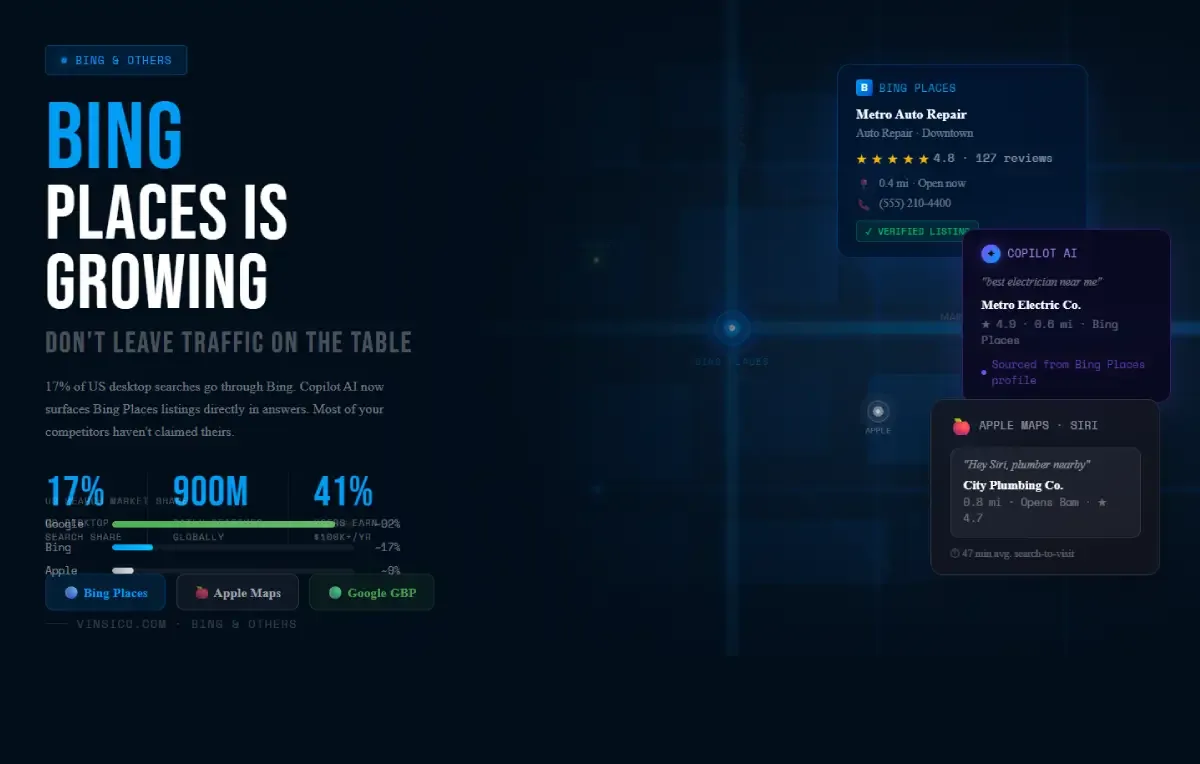
Why Bing Matters More Than Most People Think
Most local businesses put everything into Google and treat everything else as a distraction. That is a reasonable default given Google's dominance, but it means leaving real customers on the table, specifically customers that your competitors have done almost nothing to reach.
Here is the actual picture in 2026. Across all devices in the US, Bing holds around 8-9% of search market share. That understates where it is genuinely strong. On desktop, Bing commands roughly 17% of US searches, meaning nearly one in five desktop search queries in America goes through Bing. It is the default engine on Windows 11 and Microsoft Edge, it powers search inside Outlook and Microsoft Teams, and it handles about 900 million searches per day globally. That is not a rounding error.
The demographic skew is also worth paying attention to. Around 41% of US Bing users report household incomes above $100,000 per year. Nearly half of all Bing users fall in the top 25% of income brackets. For businesses selling anything considered a considered purchase, that is a materially valuable audience.
Then there is Copilot. Microsoft's AI assistant is now woven into Bing's search experience and processes local queries differently than a traditional results page. When someone asks Copilot "who's the best electrician in [city]," it surfaces businesses from Bing Places with complete, well-maintained profiles. Over 33 million people use Copilot actively as of 2025, and that number has been climbing fast. Businesses with fully optimized Bing Places listings are better positioned to appear in those AI-generated answers.
How Bing Local Works Differently from Google
Bing's local ranking algorithm shares some foundational logic with Google's, but there are differences that are worth knowing about before you set up your listing.
Yelp integration is more prominent. Bing pulls Yelp reviews and ratings directly into its local results. If you have a solid Yelp presence, it shows up more visibly on Bing than it does on Google. This means your Yelp profile is not just a Yelp problem; it affects how you look on Bing too.
Social signals appear to carry more weight. There is long-standing practitioner observation, backed by Moz ranking factor correlation data, suggesting that social media presence factors into Bing's algorithm more than Google's. Microsoft has not confirmed this officially, but the correlation between active social profiles and stronger Bing local rankings is consistently observed. It has not been disproven either.
Keyword matching is more literal. Exact-match keywords in your business name and listing description carry more weight on Bing than on Google, where the algorithm is more semantic. This makes the copy in your Bing Places profile more important than it is on GBP.
Setting Up Bing Places: The Practical Steps
- Go to bingplaces.com and sign in with a Microsoft account. If you use Microsoft 365, use that account.
- Import from Google. Bing offers a direct GBP import that pulls your existing listing data across. This is the fastest path to getting started, and it handles the bulk of the setup in minutes.
- Verify your listing. Bing offers verification by postcard, phone, or email depending on your business type. The process is similar to Google's.
- Upload photos directly. Do not rely solely on the imported assets. Adding photos natively to Bing Places gives you better control over how your listing looks in Bing search results specifically.
- Check NAP consistency. Your business name, address, and phone number should match exactly what appears on your GBP listing, your website, and other directories. Inconsistencies across platforms can affect local rankings on Bing just as they do on Google.
Apple Maps: Now Worth Treating as a Proper Priority
While you are thinking beyond Google, Apple Maps deserves a more serious look than it typically gets. Apple Maps is the default navigation app across all iOS devices and is deeply integrated with Siri, CarPlay, Apple Watch, and Safari. Estimates from Local SEO Guide put US Apple Maps users at somewhere between 82 and 110 million in 2024. When someone asks Siri for a nearby service, or taps a business address in a text message or calendar invite on an iPhone, Apple Maps is what opens.
The conversion data is also interesting. Users who find a business through Apple Maps tend to act faster; the average time from search to visit is estimated at around 47 minutes, compared to 72 minutes on other platforms. iPhone users skew toward higher purchasing power, and the app's clean interface surfaces fewer distractions between a search and a decision.
There is also something new to watch. Apple has begun testing paid placements inside Maps, with ads expected to roll out in 2026 using AI-driven targeting. If that launches at scale, businesses that already have a complete, verified Apple Maps presence will be better positioned to use it early.
To claim your listing, go to businessconnect.apple.com (Apple rebranded Maps Connect to Apple Business Connect in 2023). The setup takes about ten minutes. You can add photos, hours, a website link, and category information. Make sure it matches your GBP listing for NAP consistency.
The Actual Return on Your Time
Once you have done the work of building out your Google Business Profile, translating that information to Bing Places and Apple Business Connect is genuinely a small lift. Same business name, same address, same photos, same description. You are spending roughly 20 to 30 minutes to establish a presence on two platforms that together serve a meaningful and under-competed portion of local search traffic.
Most of your local competitors have not done this. That is not an argument for doing it carelessly, but it is a genuine window. In local SEO, the places where your competitors are absent are exactly where the effort pays off fastest.